



Variant Integrity Auditor
Scan for missing images, duplicate SKUs, and other variant issues. Prioritize fixes, work a clean list, and export results to CSV.
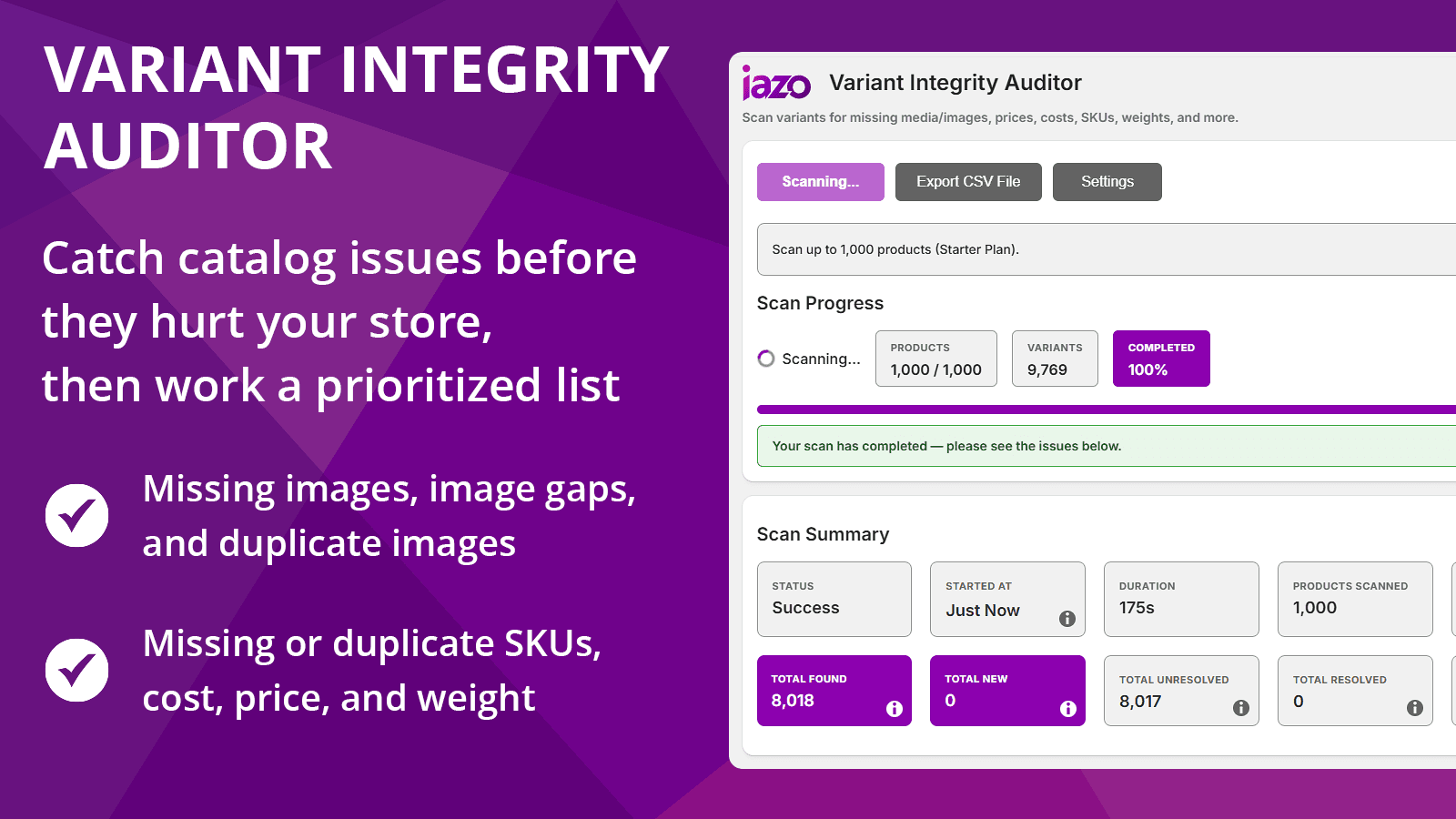


Introduction
Catch variant issues before they hurt your store. Scan and work a prioritized fix list.
Overview
Variant Integrity Auditor helps you catch variant issues before they hurt your store. Scan for missing images, image gaps, duplicate images, duplicate SKUs, missing SKUs, and missing cost, price, or weight data. Review everything in one list, prioritize fixes with severity flags and filters, then open items in Shopify Admin, resolve issues, snooze them for later, or export results to CSV for sharing, auditing, and tracking fixes across your team.
Features
- Catch missing images, duplicate SKUs, and other common variant issues
- Prioritize fixes with severity flags, filters, and sorting
- Open items in Shopify Admin, mark resolved, or snooze for later
- Issues reopen automatically if they appear again in a later scan
- Export results to CSV for sharing, auditing, or offline review
FAQ
Frequently asked questions about Variant Integrity Auditor.
No. Variant Integrity Auditor is an audit and review tool. It scans for variant issues and reports them, but it does not automatically change your Shopify products, variants, images, prices, SKUs, costs, weights, or inventory.
The app can find issues such as missing variant media, media gaps, duplicate media, missing prices, missing costs, missing weights, missing SKUs, and duplicate SKUs.
Missing variant media issues happen when variants do not have an assigned image or media item. This can create a weaker product-page experience, especially when shoppers expect each color, style, or option to show the correct visual.
Media gaps happen when some option values have assigned media while others do not. For example, a product may have images for several colors but be missing images for one color. The app helps surface those inconsistencies.
Duplicate media issues happen when multiple meaningful option values appear to use the same media. This can be intentional in some catalogs, but it often points to products where the wrong image has been assigned or variant images have not been completed.
Yes. Variant Integrity Auditor can detect duplicate SKUs so merchants can identify variants that may create operational, fulfillment, reporting, or inventory-management confusion.
Yes. The app includes CSV export support so you can review issues outside the app, share them with a team member, or use them as a cleanup checklist.
The app uses scan settings and limits to control audit behavior. Merchants can configure what the app scans so the audit stays practical for the store and plan.
Yes. Small catalogs can still have variant issues that affect product quality and customer trust. The app is especially useful before launches, after catalog updates, or when cleaning up products imported from another system.
Yes. Larger catalogs are more likely to accumulate missing images, duplicate SKUs, incomplete costs, missing weights, or inconsistent variant setup. The app helps merchants find these issues faster than manually checking products one by one.
Changelog
Latest updates for Variant Integrity Auditor.
Fixed
- Fixed an issue where turning Auto-load more issues on or off could switch off your saved CSV Export Settings, so your CSV exports now keep the columns you chose.
- Fixed Auto-load more issues so changing it saves only that preference and no longer saves other Settings changes you haven't saved yet.
Fixed
- Fixed an issue with Infinite Loading that prevented additional results from loading after the first 200 issues, so you can now scroll through your complete issue list.
- Fixed scan progress messaging so it no longer briefly returns to the starting message while a scan is finishing.
Updated
- Completed the move to Shopify API version 2026-04, so all of the app's requests to Shopify now use this supported version.
Improved
- Strengthened sign-in security by preventing redirects to untrusted websites.
- Applied security updates to the app's underlying web framework and server components for stronger protection and reliability.
Updated
- Updated the Shopify API version to 2026-04.
Added
- Added a Free plan so merchants can start using Variant Integrity Auditor without a subscription.
- Free plan scans include up to 25 products per run.
- Free plan scans include media checks for missing, duplicate, and inconsistent variant images.
- Added clearer Free, Starter, and Growth plan details on the Plans page.
- Added a sticky Save Bar to Settings so changes are easier to save or discard.
Improved
- Improved the Plans page layout to make the current plan, billing cadence, and subscription status easier to understand.
- Improved scan-limit messaging so merchants can see when a scan will run normally or when it will be limited by their plan.
- Improved Free plan messaging throughout the Auditor and Plans pages.
- Improved plan card copy to make scan-type access clearer across Free, Starter, and Growth.
- Improved upgrade and cancellation handling when moving between Free and paid plans.
- Improved the Getting Started page with clearer introductory copy, stronger first-scan guidance, and a direct View Plans option.
- Improved the Home page with cleaner visual sections, clearer next-step guidance, and more consistent quick links.
- Improved desktop and mobile navigation order for a more consistent app experience.
- Improved mobile navigation styling with clearer active and hover states.
- Improved Settings page usability by making paid-only scan options and CSV export settings clearer while on the Free plan.
Fixed
- Fixed Free plan gating so paid scan types and CSV export settings are clearly shown as paid features.
- Fixed CSV export settings so they appear disabled on the Free plan while preserving saved paid-plan settings.
- Fixed paid scan settings so they no longer appear active while a merchant is on the Free plan.
- Fixed the Free plan return flow after canceling a paid subscription.
Improved
- Improved the Support page details block to make troubleshooting information easier to copy and share.
- Added clearer Support Details grouping for store/app details, theme context, and timestamp.
- Added Theme App Embed Status to Support Details, shown as “Not applicable” for Variant Integrity Auditor.
- Clarified theme metadata fields for this app’s minimal-permission setup, showing when theme access is not requested instead of displaying generic unknown values.
Improved
- Added the Changelog to Quick Links on the Home page for easier access.
- Improved background handling for important app compliance events.
Improved
- Added a dedicated in-app Changelog page to make release notes easier to review without leaving the app.
- The Support page now has a clearer layout, with support instructions, support details, and resource links grouped more cleanly.
- Support now shows the current app version dynamically, and includes quick links to the changelog and iazo.com.
- The app footer now includes a direct link to iazo.com.
- Refined changelog and support page styling for better clarity and consistency with the rest of the app.
Launched
- Variant Integrity Auditor is now live in the Shopify App Store.
Improved
- The Leave a Review button on Home now links directly to the live review section in the Shopify App Store.
- Minor copy improvements were made on the Plans page for added clarity.
Improved
- Export Settings are now grouped into clearer sections: Links, Variant Data, and Other.
- Added new export controls for Prices, Costs, Weights, and SKUs so you can tailor CSV exports to your workflow.
- Admin and store link options, along with Additional Details, remain available in the refreshed Export Settings layout.
Fixed
- Snoozed issues in CSV exports now display as Snoozed 7d or Snoozed 30d for better clarity.
Improved
- CSV export now matches the in-app workflow: Severity is first, Options include all selected values (Color first), and columns are reordered for faster triage.
- Export includes direct links for Product Admin, Variant Admin, and View in Store.
- Export link columns can now be toggled on/off (Admin, Variant, and Store links) from Export Settings.
- Store links in exports prefer your custom domain when configured.
Fixed
- Additional Details in exports now matches in-app wording for Media/Image duplicates and uses clearer SKU duplicate formatting (with locations list and truncation).
- Export formatting is more spreadsheet-friendly: status is capitalized, Last Seen is easier to read, weight units use standard abbreviations, and SKU duplicate locations no longer include Excel-breaking characters.
Improved
- Issue list now shows all selected variant options (Color/Colour first, then Size/other options) for clearer identification.
- Improved readability in the Issues table: option names are bolded, and duplicate-context labels in the Variant column are easier to scan.
- Mobile issue details are clearer with bold section headings (Option and Additional Details) and improved formatting.
- “Show only issues found in last scan” filter now applies reliably on the first try, even while scans are polling.
Fixed
- Weight Missing now flags variants where Shopify stores a “blank” weight as 0 / 0.0.
Added
- Added privacy compliance handling required for App Store distribution.
Improved
- Improved issue actions with separate Product and Variant links in Shopify Admin.
- Added a clearer View in Store action and consistent button layout on desktop and mobile.
- Improved reliability during busy usage to reduce the chance of temporary errors.
Fixed
- Variant link is disabled when a specific variant page isn’t available (default variant).
Updated
- Back-end updates before public release.
Improved
- Improved reliability behind the scenes to reduce the chance of temporary slowdowns or errors during busy moments (for example, when multiple scans are running).
Improved
- Improved reliability and first-install defaults. Scan settings now start in our recommended “All checks (except default variants)” mode.
Updated
- Production Release: updated app URL, redirect URL, and permissions.
Updated
- Beta updates.
Updated
- Beta updates.